Super Game Text Effect with Gradient: Level Up Your Visuals
In the crowded landscape of digital design, static text often fails to capture the fleeting attention of a modern audience. Whether you are designing a banner for a new mobile app, creating a thumbnail for a streaming channel, or branding a digital event, the text needs to do more than just convey information; it needs to vibrate with energy. The Super Game Text Effect with Gradient is a specialized design asset built specifically for this high-octane environment. It is not merely a font, but a fully realized vector style that mimics the bold, glossy, and chromatic aesthetics of modern gaming and entertainment branding.
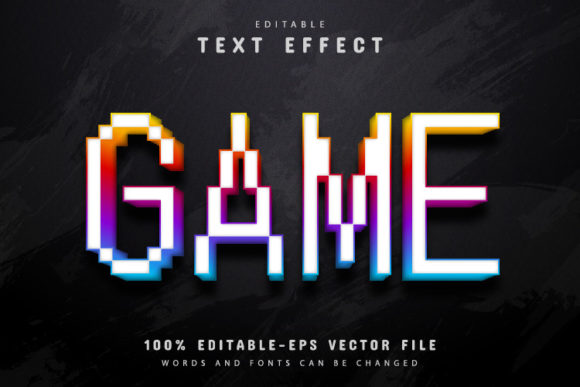
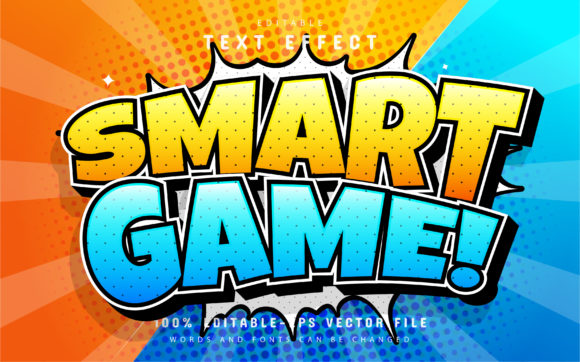
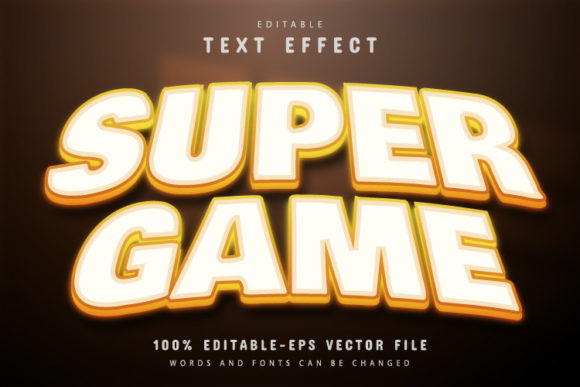
Visually, this text effect commands the room. It features a heavy, extruded typeface style that feels grounded and powerful, immediately drawing the eye through its sheer mass. The defining characteristic, however, is the gradient application. We are not talking about a simple two-tone color shift. This effect utilizes complex gradients that simulate depth, light refraction, and surface texture. It often evokes a sense of chrome, glass, or metallic fluidity, creating a "3D" appearance without the need for complex rendering software. The personality of this design asset is undeniably futuristic, aggressive, and tech-forward. It speaks the visual language of esports, cyberpunk aesthetics, and high-energy entertainment. If your project requires a vibe that screams "action" and "innovation," this premium font effect is the tool to reach for.
Where This Creative Font Truly Shines
Understanding the versatility of the Super Game Text Effect with Gradient is key to maximizing its value. While its name suggests a singular focus on gaming, its application range is surprisingly broad, provided the project demands high visual impact. This is a quintessential display font style; it is designed for headlines, logos, and hero images, rather than body copy.
For logo design, particularly within the tech and entertainment sectors, this vector effect provides a polished, finished look that might otherwise take hours to construct manually. It is perfect for indie game studios, streamers looking to upgrade their channel branding, or tech startups wanting to project a cutting-edge image. In the realm of packaging design, imagine this effect on the cover of a sci-fi novel, a children’s toy box, or a new line of energy drinks. The gradient effect adds a tactile quality that suggests the product inside is vibrant and modern.
Furthermore, social media graphics are a natural home for this asset. On platforms like Instagram, TikTok, or YouTube, where visuals scroll by in milliseconds, a bold typographic hook is essential. The Super Game Text Effect with Gradient stops the scroll. It works exceptionally well for sale announcements, event teasers, and podcast covers. Because it is a fully editable vector, you can scale it for a tiny mobile screen or a massive digital billboard in web design without losing a pixel of quality.
The Psychology of Typography and Brand Perception
Typography is rarely just about aesthetics; it is about psychology. The fonts you choose for your brand identity dictate how your audience feels about you before they read a single word of your copy. Using a creative font like the Super Game Text Effect with Gradient sends a specific signal: you are modern, you are technologically savvy, and you are not afraid to be bold.
This type of visual hierarchy is crucial. In editorial design, for instance, you might use a clean sans serif font for the body text to ensure readability, but pair it with this gradient effect for the main headline to establish authority and excitement. This contrast guides the reader’s eye exactly where you want it to go. However, a word of caution on readability: because of the heavy gradients and decorative nature of this style, it is best used for short bursts of text. Long sentences rendered in this style can become visually fatiguing. Use it for impact, not for instruction.
Consistency is another factor. Because this is a 100% editable vector, you have the power to modify the color variations to match your specific brand palette. This ensures that while the style is unique, the identity remains yours. You can shift the gradients from a cool cyber-blue to a warm sunset-orange, instantly changing the mood from "tech-cold" to "adventure-warm."
Practical Integration: Making the Asset Work for You
One of the biggest hurdles with high-end design assets is the learning curve. Fortunately, the Super Game Text Effect with Gradient is designed with user experience in mind. It bridges the gap between professional-grade visuals and accessibility. You do not need to be a 3D modeling expert or a Photoshop wizard to utilize this. It is a vector-based solution, meaning it relies on mathematical paths rather than pixels.
The workflow is streamlined for efficiency. Once you download the content—available in EPS & JPG format—integration is immediate. If you are working in Adobe Illustrator, the process is intuitive. You simply open the file, activate the Type Tool (by pressing "T" on your keyboard), and click on the text. This allows you to replace the placeholder text with your own messaging instantly. The effect applies itself to your new letters automatically.
This easy to edit nature means you can iterate rapidly. Need to test how your tagline looks in this style? It takes seconds. Need to change the color scheme to fit a seasonal campaign? You can access the unlimited color variations by diving into the gradient settings within the AI file. This level of customization ensures that the asset feels bespoke, not stock.
Evaluating Fit and Final Considerations
Before committing to a commercial font or design asset for a major campaign, it is always wise to evaluate the fit. Ask yourself: does the energy of the Super Game Text Effect with Gradient align with the tone of my message? If you are a law firm, this is likely too aggressive. If you are a fitness brand, a music producer, or a tech blogger, it might be exactly the edge you need.
Consider the font pairing. Because this effect is loud and complex, it requires a partner that is quiet and simple. A geometric sans serif font or a clean serif font for the sub-headings and body text will provide the necessary breathing room. Avoid pairing it with other decorative, script fonts, or handwritten fonts, as this will create visual chaos and undermine your brand identity.
Ultimately, the value of this asset lies in its ability to provide high-end modern typography results with minimal effort. It is a strategic addition to any designer's toolkit, offering a way to instantly elevate the production value of a project. By leveraging the vector capabilities and the editable nature of the Super Game Text Effect with Gradient, you can ensure your visuals are not just seen, but remembered.