Fun Game Style 3D Text Effect for Photoshop
There is a specific kind of energy that comes with retro gaming and arcade culture. It is bold, unapologetic, and instantly recognizable. If you have ever tried to recreate that "Player One Ready" aesthetic manually in Photoshop, you know it takes hours of layer styling, beveling, and lighting adjustments to get right. The PSD 3D Text Effect Fun Game Style solves this problem by encapsulating that vibrant, high-impact look into a single, accessible file. It is not just a filter; it is a comprehensive design asset built for speed and visual punch.
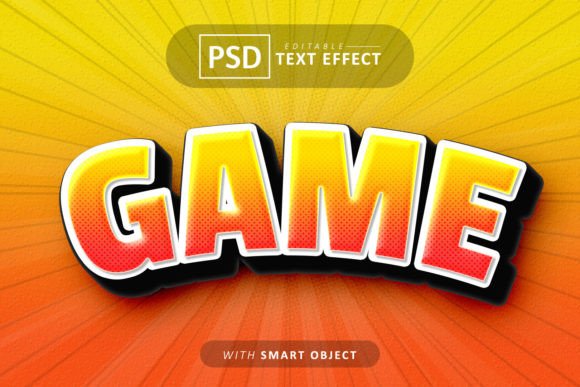
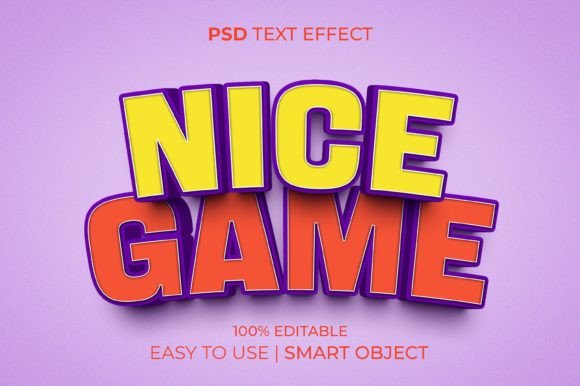
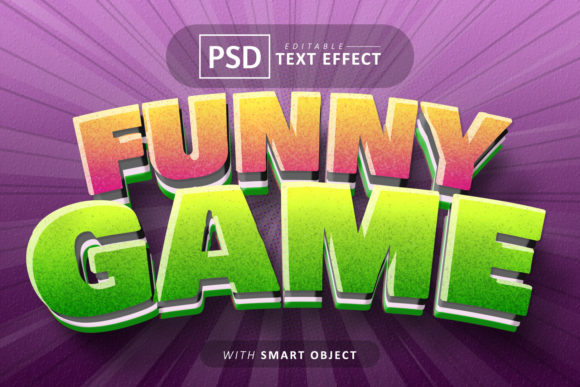
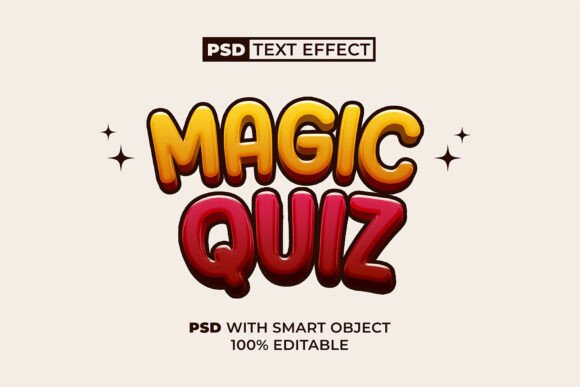
This text effect is designed to give you that classic, chunky 3D look often associated with 8-bit and 16-bit eras, but rendered with modern clarity. It features hard edges, deep shadows, and highlights that make the text pop off the background. The personality of this style is playful, energetic, and loud. It works best when you want to grab attention immediately, making it a perfect fit for display font applications where readability at a distance is key. It is a creative font style that commands the viewer's eye, ensuring your message is not just read, but felt.
Real-World Applications for Branding and Marketing
While the name suggests a niche application, the utility of the PSD 3D Text Effect Fun Game Style extends far beyond actual video game design. In the realm of brand identity, this effect can be the cornerstone for brands that want to project a sense of fun, youthfulness, and approachability. Imagine a toy store logo, a children’s party planning service, or a retro-themed café. Applying this 3D text effect instantly communicates the brand’s personality without a single word of copy.
For social media graphics, this asset is invaluable. Platforms like Instagram and TikTok are visually saturated. A standard, flat sans-serif caption often gets scrolled past. However, a bold, 3D typography header stands out in the feed. Whether you are announcing a flash sale, a new podcast episode, or a giveaway, using this style creates an immediate focal point. It is particularly effective for:
- E-commerce: Creating "SALE" or "NEW ARRIVAL" banners that pop.
- Content Creation: Designing YouTube thumbnails or stream overlays for Twitch.
- Event Flyers: Promoting local arcade nights, tournaments, or school carnivals.
It bridges the gap between web design and packaging design. If you are selling physical products like stickers, candy, or tech accessories, this text style can be used on the packaging to catch the eye on a crowded shelf. It translates the digital excitement of the screen into the tactile world of print.
Mastering the Smart Object Workflow
The true value of the PSD 3D Text Effect Fun Game Style lies in its technical execution via Smart Objects. In the world of modern typography and design assets, efficiency is just as important as aesthetics. This file is structured so that you do not need to be a Photoshop wizard to achieve professional results.
The process is designed to be "one-click" simple. You open the PSD file, locate the Smart Object layer (usually clearly labeled), and double-click it. This opens a new window where you can type your text or paste your logo design. Because it utilizes vector smart objects, you can scale your text up or down without losing the crispness of the 3D effect. When you save and close that window, the effect is automatically applied to your text with all the correct lighting, shadows, and perspective intact.
This non-destructive workflow is crucial for editorial design and client work. If a client decides they want to change the headline from "Summer Sale" to "Winter Sale," you simply edit the smart object text. You don't have to recreate the layer styles or adjust the bevels. This ensures consistency across a campaign. If you are using this effect for a series of social media posts, the depth and angle of the 3D text will remain perfectly uniform, reinforcing a professional look.
Strategic Font Pairing and Visual Hierarchy
When you introduce a strong visual element like the PSD 3D Text Effect Fun Game Style, you must consider how it interacts with the rest of your typography. This style is heavy and decorative, meaning it functions as a premium font for headers and titles, but it should rarely be used for body text. The depth and shadowing that make it beautiful for a headline would make a paragraph unreadable.
To create a strong visual hierarchy, pair this 3D effect with a clean, neutral background. A solid color or a subtle texture works best to let the text shine. For the supporting text, choose a sans serif font that is geometric and simple. You want the body copy to recede visually so the 3D headline can advance. For example, pairing the playful 3D style with a font like Montserrat or Roboto creates a balanced contrast—the headline provides the emotion, and the body text provides the information.
Consider the readability of your specific message. If your headline is long, the 3D effect might become visually heavy. In those cases, it is often better to use the effect on the most important keyword rather than the whole sentence. This draws the eye to the "hook" of your message. For logo design, ensure that the font used inside the smart object complements the 3D style. A rounded, bold sans-serif usually fits the "game" aesthetic perfectly, whereas a thin serif might clash with the heavy 3D extrusion.
Evaluating Fit and Commercial Usage
Before integrating any asset into a professional workflow, it is wise to evaluate the licensing and technical inclusions. The PSD 3D Text Effect Fun Game Style comes with a PSD file and a JPEG file, offering flexibility. The JPEG is useful for quick mockups or backgrounds, while the PSD is the working engine.
For small business owners and marketers, the "no skill requirement" aspect is a massive time-saver. You do not need to understand the complexities of Photoshop's 3D rendering engine or lighting maps. However, I recommend taking a moment to explore the layer structure. Even though the file is ready to use, understanding where the shadow layers are allows you to tweak the intensity if the effect feels too subtle or too heavy for your specific background color.
Regarding commercial licensing, always verify the terms included in the "Readme" file. Most standard licenses for these types of design assets allow for use in unlimited personal projects and a specific number of commercial projects (like print-on-demand merchandise or client logos). This is a creative font solution that saves billable hours. Instead of spending an hour crafting a single text effect, you can generate variations in minutes, allowing you to present more options to your clients or test different headlines in your A/B marketing campaigns.
Ultimately, the PSD 3D Text Effect Fun Game Style is about injecting personality into your digital presence. It transforms flat text into a tactile, engaging visual element that resonates with audiences looking for energy and fun. Whether you are designing a birthday invitation or a high-impact marketing banner, this tool provides a reliable way to make your words stand out. It is a testament to how smart assets can streamline the creative process while maintaining high production value.